Creating UTM Maps with QGIS
In my previous post, I briefly described how to switch my APRSMap software to use local (offline) OpenStreetMap tiles. During that process, I also explored the creation of paper maps, true to the motto: when all else fails, paper and your own mind are your last backup. 😅
This post is a short guide on how to create UTM maps using QGIS. While I could technically use the same local OSM tiles here, I’ve chosen not to. OSM tiles are image-based (typically PNG), whereas for paper maps, I prefer vector tiles. These scale much better and produce crisper text and map details when printed. But maybe that’s just a quirk of my printer. 😊
Let’s get started with QGIS.
What is QGIS?
QGIS (Quantum GIS) is a free and open-source Geographic Information System (GIS) used for viewing, editing, and analyzing spatial data. It supports numerous vector, raster, and database formats and allows for the creation of complex maps and spatial analyses. QGIS is cross-platform and runs on Windows, macOS, and Linux. It is widely used in fields such as environmental science, urban planning, and geoinformatics. Thanks to its plugin system and integration with tools like GRASS and Python, it is suitable for both professionals and advanced hobbyists.
What is UTM?
UTM (Universal Transverse Mercator) is a globally used coordinate system for accurately specifying positions on the Earth’s surface. It divides the world into 60 longitudinal zones, each 6° wide, and represents positions using a metric grid. This makes it easy to calculate distances and areas accurately. UTM is based on the Transverse Mercator projection and is particularly useful for topographic maps, GPS navigation, and geodetic applications. It is frequently used in surveying, cadastre, and GIS applications like QGIS.
Creating UTM Maps
1. Prepare your project
Open your project in QGIS. Ensure that the coordinate system is set to UTM (e.g., EPSG:32632 for UTM Zone 32N).
→ Click the CRS label at the bottom right and search for and select 32632.
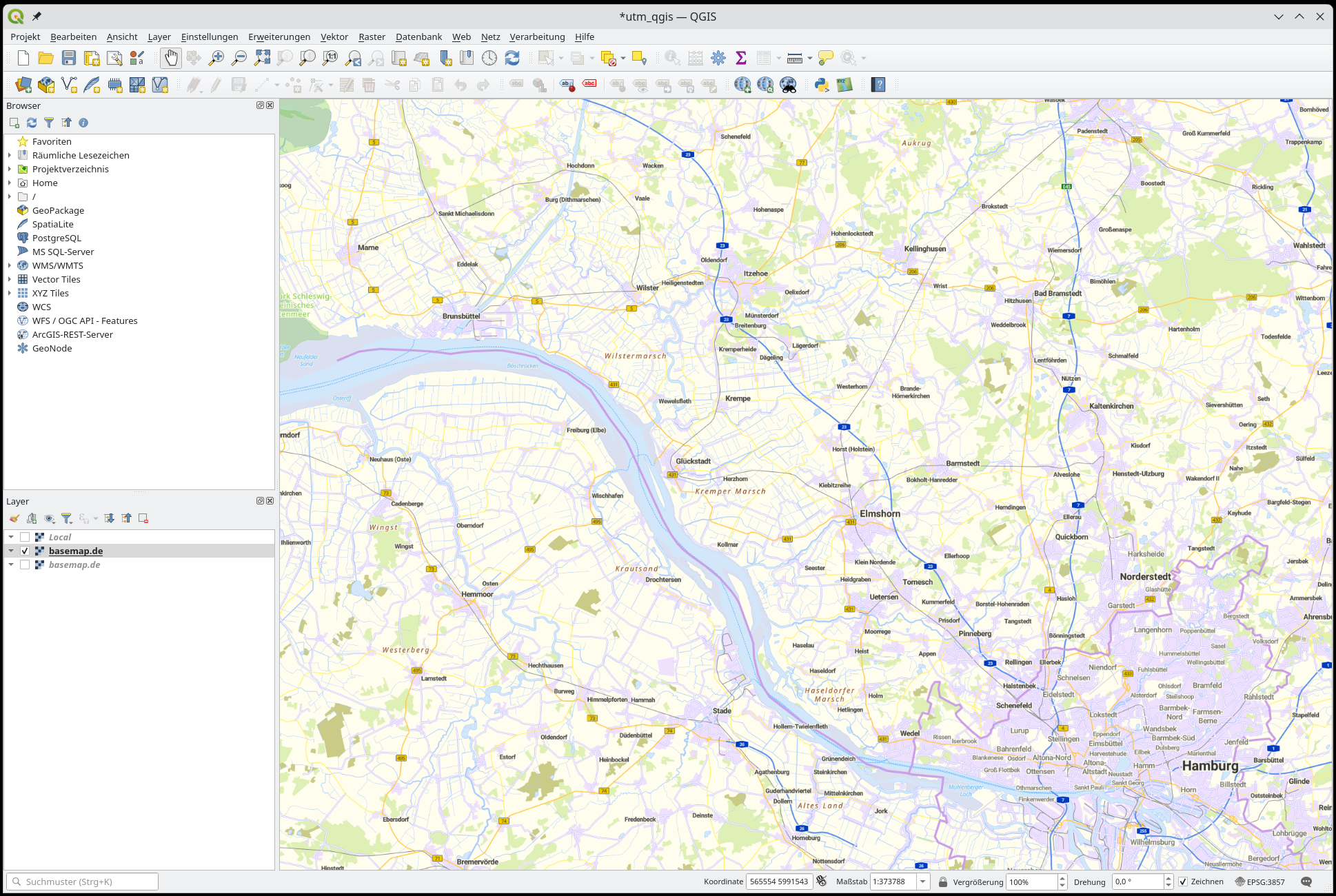
In the main window, under Vector Tiles, select basemap.de or another tile provider relevant to your country. If you prefer OSM tiles, you can find them under XYZ Tiles.
In this example, I’m using the official vector tiles from basemap.de.
2. Open Layout Manager and set the scale
Go to: Project → New Print Layout (e.g., “UTM Map”).
Adjust the scale for your desired zoom level.
3. Enable UTM Grid
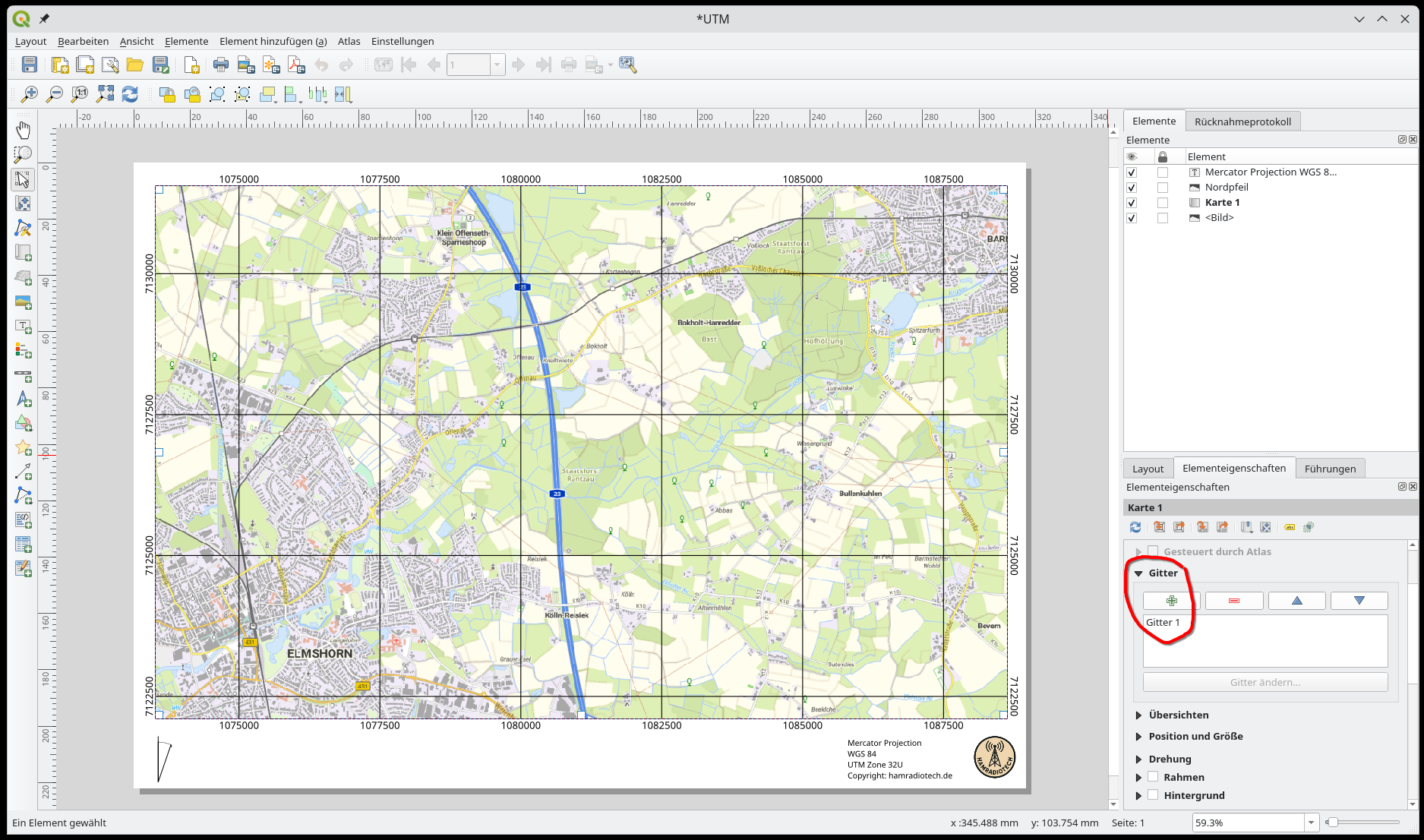
Select the map frame element in the layout.
On the right, open the Item Properties panel.
-
Under Grids → click Add (+).
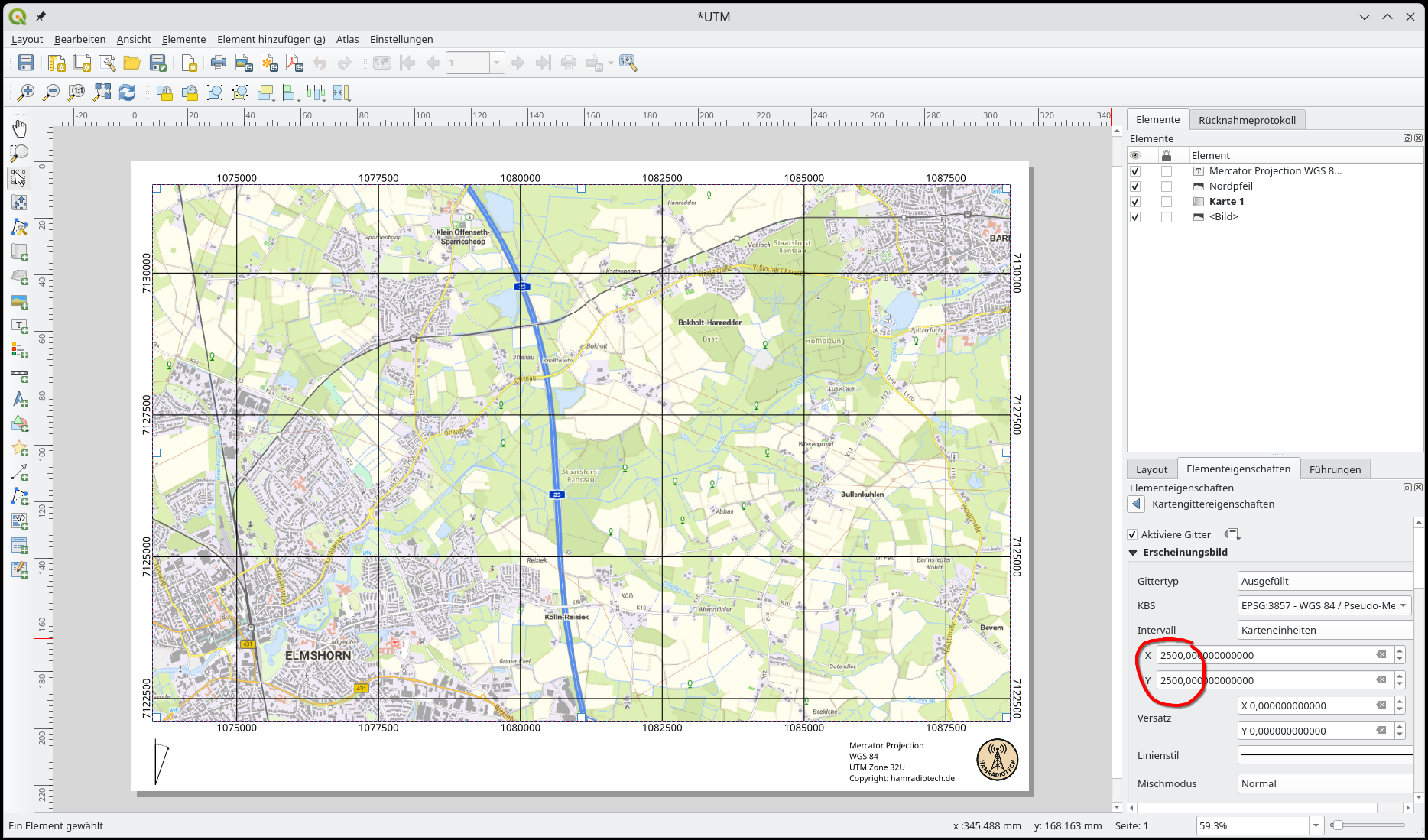
- Grid type: Cross (Grid Lines)
- CRS: Your UTM projection (e.g., EPSG:32632)
- Interval: e.g., 1000 m (for a kilometer grid)
- Customize the line style and labels as desired.
4. Export the layout
Menu: Layout → Export as PDF or Print
Why UTM Paper Maps Matter in Amateur Radio
UTM paper maps offer many advantages for amateur radio, especially in situations where digital infrastructure is unavailable — such as emergency operations, field deployments, or during portable activities. Thanks to the Universal Transverse Mercator (UTM) coordinate system, these maps provide precise, metric-based position references, making coordination and communication between stations significantly easier.
A key benefit is the straightforward measurement of distances in meters, which is useful for direction finding, repeater coverage calculations, or antenna alignment. UTM maps also allow accurate documentation and sharing of mobile station routes or search team movements — even without GPS devices. Combined with a ruler and compass, navigation becomes simple and highly reliable.
Printed maps are especially valuable in emergency communications or power outage scenarios. They work independently of batteries, software, or internet connectivity. UTM maps can be generated and printed easily using open-source tools like QGIS — including overlays for repeater locations, APRS gateways, or geographical features.
For many radio amateurs, UTM paper maps are more than just a backup. They are an active tool for planning, operations, and training. They seamlessly blend traditional map skills with modern technology — practical, robust, and independent.