VR-N76 (UV-PRO) with KISS-TNC under Linux
How to operate the VR-N76 Hamradio with KISS-TNC under Linux.
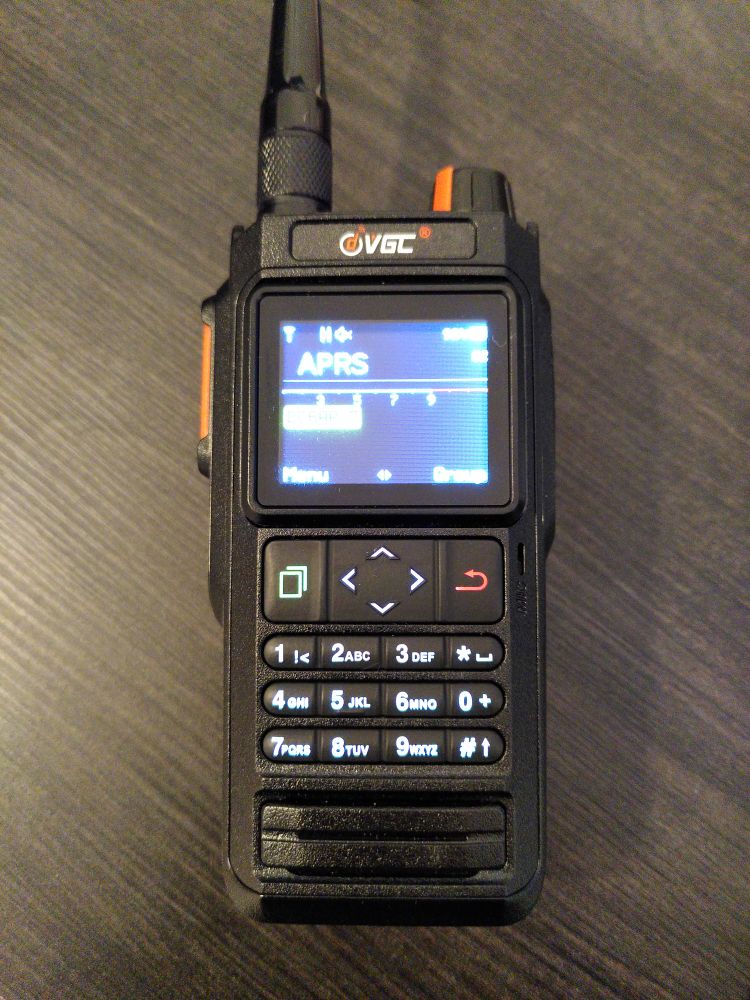
A few weeks ago, I bought the VGC VR-N76 (also known as BTECH UV-PRO) because it is currently the only new device available with a built-in 1k2 KISS-TNC. I wanted to use it for mobile Packet Radio.
In this post, I want to share my experiences and show how I got the KISS-TNC function working under Linux.
First of all
The following sentences reflect only my personal experience. They should not be taken as universally valid but rather as a guide for others.
At first, I felt too dumb for it…
… at least that was my impression for many days. The VR-N76! A really good radio with a great app (search for “HT APP” in the Android PlayStore). Here’s a rough list of its features:
- APRS position and messages
- Configuration of the transceiver
- Recording QSOs (audio)
- Amateur radio satellite tracking and automatic adjustment of TX/RX frequencies (keyword: Doppler shift)
But as mentioned, the reason I chose this radio was the built-in KISS-TNC combined with its price. 😁 Getting it to run under Linux, however, was not so straightforward.
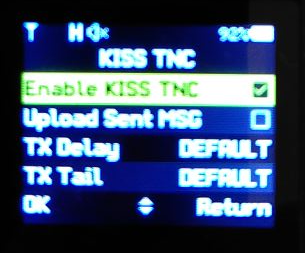
Configure VN-R76
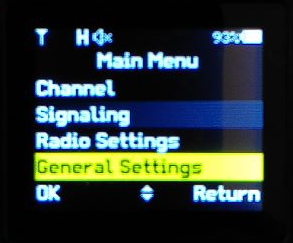
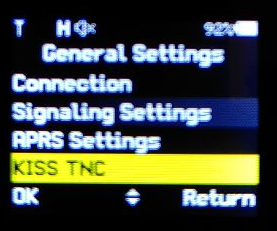
First, we need to activate KISS-TNC. Please refer to the screenshots.
Bluetooth
To use the VR-N76 via Bluetooth as an RFCOMM device on Linux, I had to do the following:
First, I had to globally disable the Bluetooth headset profile on Linux. Otherwise, the radio was detected as a headset, which prevented RFCOMM from working. Since I don’t need a BT headset on this machine, disabling it globally was fine for me. For others, setting up UDEV rules might be the better solution.
1
2
3
4
sudo vim /etc/bluetooth/input.conf

[General]
Disable=Headset
Next, pair the radio with Linux. On the transceiver, scroll down in the menu until you see “Pairing”, then press the green button.
On Linux, open a shell, start bluetoothctl, and enable scanning:
1
2
3
bluetoothctl

scan on
Once the radio appears, stop the scan with scan off, note the MAC
address (example: 38:D2:00:AA:BB:CC), and type in bluetoothctl:
1
2
pair 38:D2:00:AA:BB:CC
trust 38:D2:00:AA:BB:CC
Exit bluetoothctl afterwards.
Binding as RFCOMM device
To use the radio as a KISS-TNC, bind it as an RFCOMM device:
1
sudo rfcomm bind /dev/rfcomm0 38:D2:00:AA:BB:CC 1
It’s very important to add the number 1 at the end. Without it, or with a
different number, it simply didn’t work for me.
Since many peoples stop reading here 😅, let me quickly mention that you must also release the RFCOMM device after use. Do this with:
1
sudo rfcomm release 0
Direwolf and KISS-TNC
It took me a few frustrating days to realize that I couldn’t get it working with Direwolf. Yes, there are YouTubers and bloggers claiming that the VR-N76 works with Direwolf, but we seem to have different definitions of “working”. What does work is receiving APRS packets. But that’s only half the story –I also want to transmit. And transmitting does not work with Direwolf. Why that is, I don’t know. The information available is sparse and very general. I also don’t know if this is a general Direwolf issue or something specific to the VR-N76.
The good old TFKISS
TFKISS was developed between 1988–1996 by the NORD><LINK group, so
it’s been around for quite a while. TFKISS connects to a KISS-capable
device and converts it into HOSTMODE. HOSTMODE is an even older TNC
protocol 😅 but was the standard used on hardware TNCs back in the day.
Why was this done? Simply; many devices spoke KISS because the
hardware was cheaper, but most Packet Radio software mainly supported
HOSTMODE.
I unofficially took over maintenance of TFKISS as part of my work on FlexPacket (a Packet Radio terminal program). After my failed Direwolf attempt, I gave TFKISS a try. And what can I say… It didn’t work either. 😅 This time, I was able to transmit but not receive APRS packets. 🤦🏻♂ It turned out, APRS UI frames simply weren’t supported in TFKISS. They were received but discarded. With version 1.3.0, I finally added support for APRS UI frames –five years after the last release.
Configuring TFKISS
To configure TFKISS for the KISS-TNC of the VR-N76, edit the
tfkiss.ini file as follows:
1
2
3
4
5
6
7
8
9
10
11
12
13
14
15
16
17
18
19
20
21
22
23
24
25
sudo vim /usr/local/share/tfkiss/conf/tfkiss.ini


#device for kiss port
device /dev/rfcomm0

tfkiss_socket /tmp/tfkiss_socket

# lockfile for device used for kiss port
tfkiss_lockfile /tmp/LCK..cua0

# speed on device for kiss port
speed 9600

# switch kiss-tnc to fullduplex if DAMA detected
fulldup_on_dama 1

# type of KISS on kiss port: 0: KISS, 1: SMACK, 2: RMNC-KISS
kisstype 0

# enable (1) or disable (0) kiss port
kiss_active 1

# enable (1) or disable (0) axip port
axip_active 0
The speed refers to the communication between TFKISS and the TNC,
not the RF baud rate of the TNC itself. The VR-N76 seems to
automatically adjust to the speed requested by the terminal.
In other words, if we set this to 19200, it works without issue.
Starting TFKISS
I usually start TFKISS with the -u parameter. This overrides existing
lock files in case you forgot to properly shut down TFKISS earlier. 😅
1
2
3
4
5
6
7
8
9
10
11
tfkiss -u

        TheFirmware (Linux/AXIP/XPID) Version 2.7b DAMA (50 Channel)
            Copyright (c) 1988-1996 by NORD><LINK e.V. (05Oct96)
   -*- Es gilt die allgemeine Lizenz fuer Amateurfunk Software (ALAS) -*-
                     ONLY for non-commercial usage
         Linux-porting copyright (c) 1995-1996 by Mark Wahl, DL4YBG
          solaris-porting copyright (c) 1999 by hans mayer, oe1smc
        netbsd-porting copyright (c) 1999 by Berndt Josef Wulf, VK5ABN
                Copyright (c) 2025 by Andreas Peters, DC6AP
                         version 1.3.0 - 07/09/2025
Configuring FlexPacket
To connect FlexPacket with TFKISS, start the program and
go to settings → TFKISS:
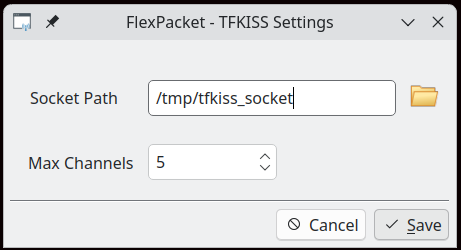
As shown, I adapted the default configuration to match my TFKISS version.
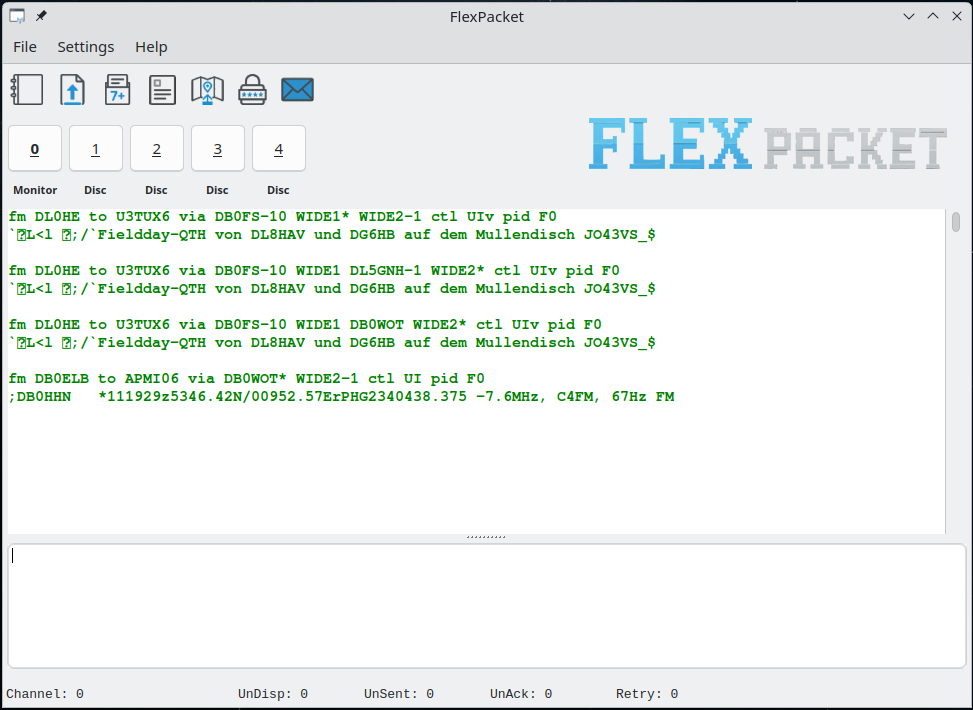
Now simply enable TFKISS under settings → enable.
FlexPacket will restart and connect to TFKISS. If everything is
configured correctly, the VR-N76 display will show a small
telephone-like icon next to the power level indicator (L, M, H).
This indicates that the RFCOMM connection is established.
When APRS data is received, it should appear in the monitoring channel.
Conclusion
The VR-N76 works very well with TFKISS under Linux. Together with FlexPacket and APRSMap, I can now operate Packet Radio and APRS on Linux while mobile. 🥳 The road to get here wasn’t exactly smooth. But hey… That’s Hamradio too! Diving into technology, learning, fixing, and rebuilding things to make them work.
Download latest
FlexPacket
Download latest APRSMap
Download
TFKISS